The system is rich in functionality and provides for the end to end process to manage a customer’s fleet.
Cradle to Grave – vehicle lifecycle
The system allows the fleet asset and leasing service provider to manage all aspects of a vehicle’s lifecycle from the acquisition of the vehicle through to disposal of the vehicle while also catering for the fleet client to manage and report on the fleet operations and expenses..

The system will be with you every step of the way, from the generation of the quote, choosing the right vehicle, to source, procure the vehicle, contacting, financing, managing, and maintaining the vehicle and eventually, disposing of it at the end of the contract.
Dashboards and reporting
Built-in Business Intelligence Tools provide critical information
Dashboards
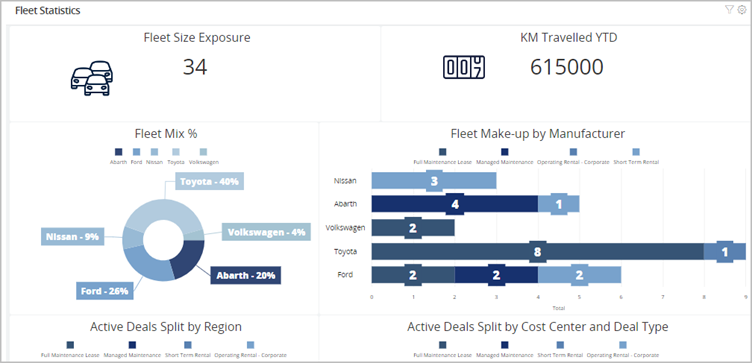
The Dashboard allows you to better manage your business with greater intelligence resulting in increased productivity and profits. The dashboards can be customised according to the business’s specific needs.
Reports
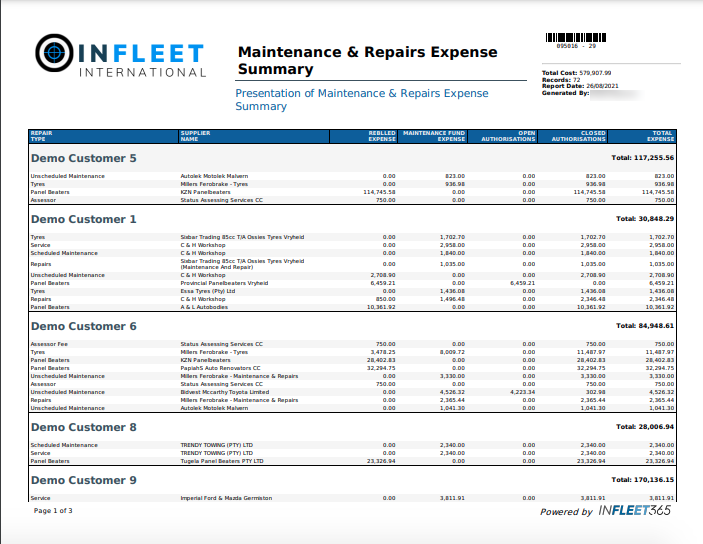
Numerous reports are generated in the system, designed, and developed to provide the maximum amount of business intelligence easily to read and understand format. Reports are available in various categories including Executive/MANCO reports, CRM reports, ASSET reports, TECHNICAL reports and FINANCE reports.
Workflow and task management
In order to effectively and efficiently manage all the complexities found in a fleet asset and leasing operation it is required that business processes are closely mimicked by the system, while also ensuring that data that is generated at a granular level that will allow the service provider and the fleet client to run their respective operations profitable.
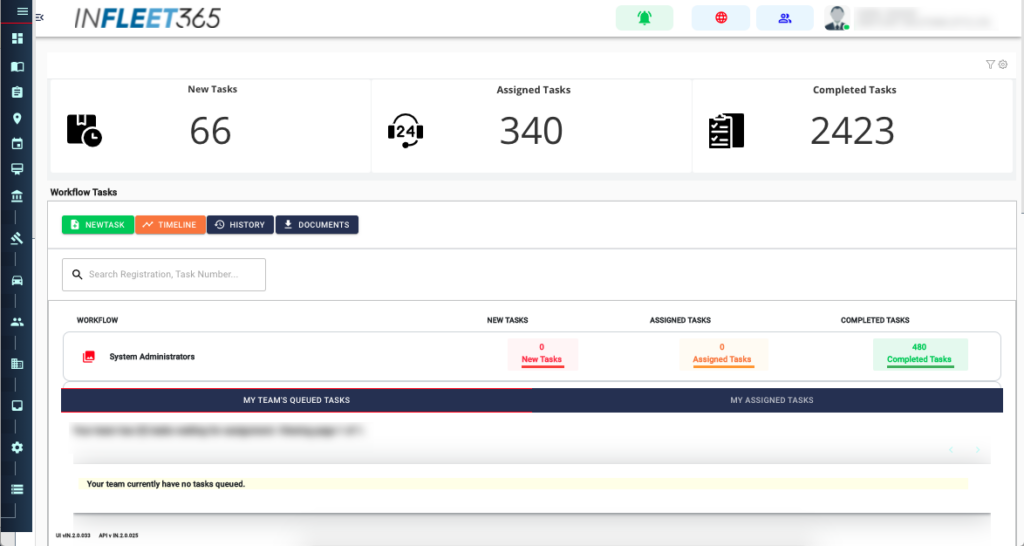
Workflow
Workflow is a business process, applicable to complete a series of tasks, that will ensure that the necessary activities are completed within expected timeframes.
The workflow section guides the user through the business process applicable to the current task selection and ensures that the necessary activities are completed. The workflow engine will timeously escalate delays to managers based on business rules and monetary values.
Tasks
The tasks section allows the user to manage day-to-day activities through a work queuing system and workflow function. It alerts the user to important events or tasks that require urgent attention. This ensures that the correct actions are taken timeously.
The tasks are established and created in the system to align with the business requirements. There are numerous tasks pre-defined in the system

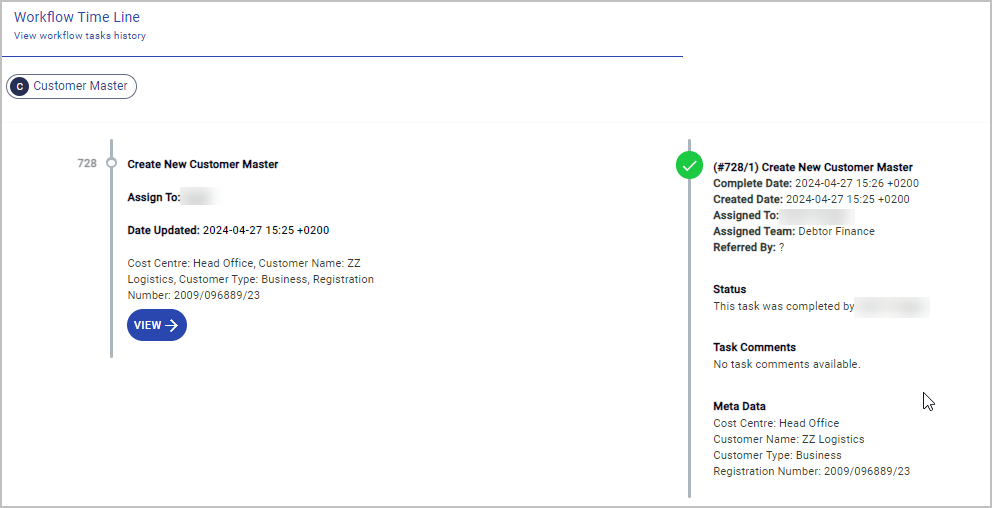
Timeline
A Timeline is a view of a all the historic activities that are part of a particular task. As the user start a task, the task is numbered and each subsequent activity is associated with a particular task. The system keeps track of these tasks and full history can be viewed in the system. This visual representation of the workflow indicates the progression of tasks, their completion status, and assignment, which is instrumental for tracking the onboarding process and ensuring a seamless flow of tasks.
Events management
An event is a system generated item that requires attention from a specific team or user.

Events module
The event manager is the functional module for viewing and responding to all events generated in the system for the attention of a specific team or user. i.e., if a vehicle is due for service, the appropriate user or team will get notice of the upcoming service.
Communications module
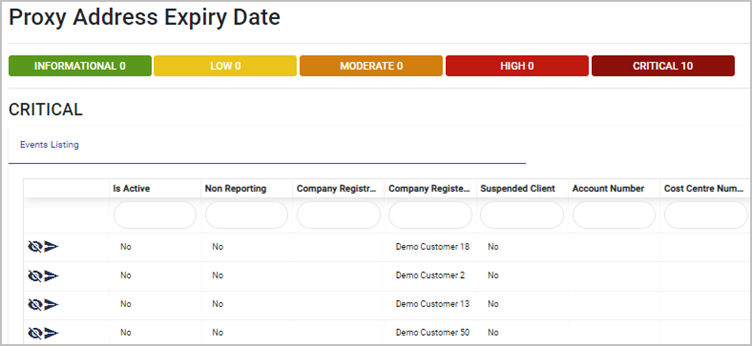
The communication module interacts with the escalation & events management engine, and the sole purpose of the communication engine is to facilitate all communications to internal or external users via e-mail from the events listing window shown below. Events are categorised, with appropriate colours to draw attention to the seriousness of the event.